Last updated: September 2026 · Reading time: 14 min · By the Best Web Developer team
Quick answer
WCAG 2.2 compliance at level AA means meeting 55 success criteria, including 6 new A and AA criteria added in 2.2: focus not obscured, dragging alternatives, 24 by 24 pixel targets, consistent help, no redundant entry and accessible authentication. Test with automated tools, then a keyboard, a screen reader, zoom and real content, in every language your site supports.
Key takeaways
- WCAG 2.2 added 9 success criteria: 2 at level A, 4 at AA and 3 at AAA. It also removed 4.1.1 Parsing as obsolete.
- Automated scanners catch only a portion of issues, in our audits roughly 30–40%. Manual keyboard and screen reader testing finds the rest.
- The most common failures we find are low contrast, missing form labels, invisible focus and images without useful alt text.
- Arabic and bilingual sites need correct lang and dir attributes, mirrored layouts and screen reader testing in Arabic.
- Fixing accessibility during the build typically costs a fraction of retrofitting, often SAR 8,000–40,000 for a mid-size site audit and fix cycle.
What WCAG 2.2 compliance means for developers
WCAG 2.2 compliance means your site meets every success criterion at the level you target, usually AA, on every page and in every state, including error messages, modals and logged-in areas. It is a testable standard, not a design style, so developers can build and verify it like any other requirement.
WCAG (Web Content Accessibility Guidelines) is the W3C standard that defines how to make web content usable by people with visual, hearing, motor and cognitive disabilities. Version 2.2 became a W3C Recommendation in October 2023 and is backwards compatible, so a site that meets 2.2 also meets 2.1 and 2.0.
This checklist is organised the way we audit client sites: first the new 2.2 criteria, then the core checks that fail most often, then the testing process. Each item is phrased as something a developer can verify in code or in the browser. The full normative text lives in the WCAG 2.2 specification.
Note: technical guidance, not legal advice
Accessibility laws differ by country and sector, and many reference WCAG 2.1 AA rather than 2.2. This article explains the technical standard and how to test it. It is general information, not legal advice, so check the exact obligations that apply to your organisation with a qualified adviser.
The nine new criteria in WCAG 2.2, explained
WCAG 2.2 adds nine criteria focused on keyboard users, people with motor impairments and people with cognitive disabilities. Six of them apply at levels A and AA, so they are part of any standard WCAG 2.2 compliance target.
| Criterion | Level | What the developer must check |
|---|---|---|
| 2.4.11 Focus Not Obscured (Minimum) | AA | Focused element is not fully hidden by sticky headers, cookie bars or chat widgets |
| 2.4.12 Focus Not Obscured (Enhanced) | AAA | No part of the focused element is hidden |
| 2.4.13 Focus Appearance | AAA | Focus indicator is large enough and has 3:1 contrast between focused and unfocused states |
| 2.5.7 Dragging Movements | AA | Every drag action (sliders, sortable lists, maps) has a single-pointer alternative such as buttons |
| 2.5.8 Target Size (Minimum) | AA | Pointer targets are at least 24 by 24 CSS pixels, or have enough spacing, with listed exceptions |
| 3.2.6 Consistent Help | A | Help links, phone, chat or contact options appear in the same relative place across pages |
| 3.3.7 Redundant Entry | A | Information already entered in a process is auto-filled or selectable, not retyped |
| 3.3.8 Accessible Authentication (Minimum) | AA | Login does not require a cognitive test such as solving puzzles or transcribing codes without an alternative |
| 3.3.9 Accessible Authentication (Enhanced) | AAA | No object or personal-content recognition tests either |
Focus not obscured: the sticky header problem
Sticky headers, cookie banners and floating chat buttons regularly cover the element a keyboard user has just tabbed to. The simplest fix is the CSS property scroll-padding-top set to the header height on the html element, plus making cookie banners dismissible and not fixed over content. Test by tabbing through a long page with the banner open.
Target size: 24 pixels as the floor
Icon buttons, carousel dots, close buttons and inline pagination links often fall below 24 by 24 CSS pixels. Increase the clickable area with padding rather than enlarging the icon, and keep 44 by 44 pixels as your own internal target for primary mobile actions. Inline links inside a sentence are exempt, but a row of tiny social icons is not.
Accessible authentication and redundant entry
Allow password managers and paste in login and one-time code fields, never block them with scripts. Offer passkeys, magic links or OTP auto-fill using the autocomplete value one-time-code. For checkout and multi-step forms, reuse the shipping address for billing with a checkbox and keep entered values when a user goes back a step. These fixes help everyone, not only disabled users, and usually lift form completion.
The core WCAG 2.2 compliance checklist
Most failures come from a small set of long-standing criteria. Work through this list on every template and component before worrying about edge cases.
Perceivable
- Every informative image has alt text describing its purpose; decorative images use an empty alt attribute.
- Body text contrast is at least 4.5:1; large text (24px regular or about 18.66px bold) and UI components at least 3:1.
- Videos have captions; audio-only content has a transcript.
- Content reflows at 320 CSS pixels wide without horizontal scrolling, and text can be zoomed to 200%.
- Headings form a logical outline, and lists, tables and landmarks use real HTML elements.
- Colour is never the only way to show meaning, for example in error states or charts.
Operable
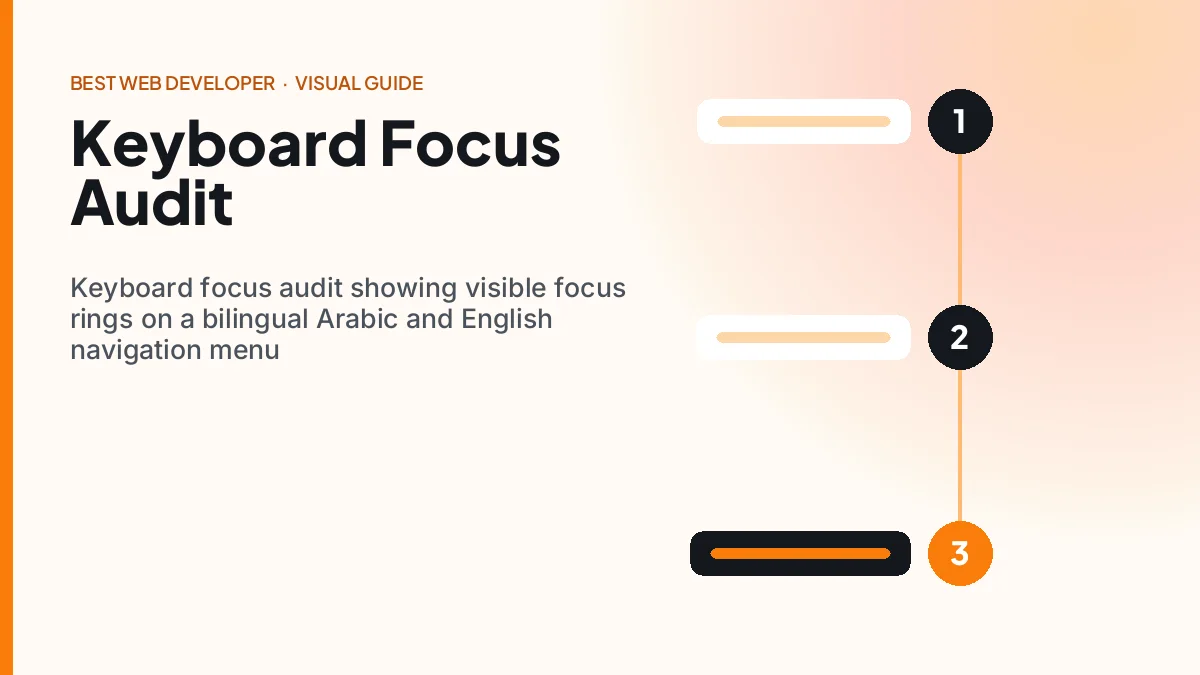
- Every function works with a keyboard alone, with no keyboard traps in menus, modals or embedded widgets.
- Focus is always visible and follows a logical order; never remove outlines without a stronger replacement.
- A skip link lets users bypass repeated navigation.
- Carousels and animations can be paused, and motion respects the prefers-reduced-motion setting.
- Page titles are unique and descriptive; link text makes sense out of context.
Understandable and robust
- The html element has the correct lang attribute, and passages in another language are marked up.
- Every form field has a visible, programmatically associated label; required fields and formats are stated before submission.
- Errors are described in text, linked to the field and announced to screen readers.
- Custom components expose name, role and state, using native elements first and ARIA only where needed.
- Status messages such as “Added to cart” are announced without moving focus, using a live region.
Pro tip
Define your brand colours as tokens and check every foreground and background pair once, at design-system level. Our free colour converter gives you exact HEX, RGB and HSL values to feed into a contrast checker, so a failing orange button is caught before it reaches 200 pages.
How we test: our eight-step audit process
A reliable audit combines automated scanning with structured manual testing on a representative sample of pages. We follow the same eight steps on every project.
- Define scope. Pick 10–25 representative pages: home, templates, forms, checkout, account, search results and error states.
- Run automated scans. Use axe DevTools, WAVE or Lighthouse on each page and log issues by component, not by page.
- Keyboard-only pass. Unplug the mouse. Complete every key task: navigate, search, filter, add to cart, check out, log in.
- Screen reader pass. Test with NVDA on Windows and VoiceOver on iOS and macOS; add TalkBack for Android-heavy audiences.
- Zoom and reflow. Check 200% text zoom and a 320 pixel viewport; watch for clipped text and overlapping elements.
- Content review. Check alt text, headings, link text, error messages and plain language.
- Prioritise fixes. Rank by user impact and effort; fix shared components first, because one fix repairs hundreds of pages.
- Retest and document. Verify fixes, then publish an accessibility statement with a contact route and known limitations.
The W3C’s Web Accessibility Initiative publishes free evaluation guidance and tutorials that match this approach. Add accessibility checks to your pull request template so regressions are caught before release.
Highlight: the ten-minute smoke test
On any page: 1) press Tab from the top and watch the focus ring; 2) open and close the menu and any modal with the keyboard; 3) zoom to 200%; 4) submit a form empty and read the errors; 5) turn on a screen reader and listen to the first 30 seconds. If any step fails, the page fails WCAG 2.2 compliance, whatever the automated score says.
Key benefits of WCAG 2.2 compliance beyond the law
Accessible sites convert better, rank better and cost less to maintain. The legal protection is real, but the commercial gains usually pay for the work first.
- Larger audience: people with disabilities, older users and anyone on a small screen in bright sunlight can use the site.
- Higher form completion: clear labels, error messages and paste-friendly logins reduce drop-off.
- Better SEO: semantic headings, alt text and descriptive links also help search engines and AI assistants understand pages.
- Cleaner code: native HTML elements need less JavaScript and fewer bug fixes.
- Tender eligibility: public and enterprise buyers increasingly require WCAG conformance in contracts.
- Lower legal risk: in markets with accessibility laws, documented conformance is your best defence.
“Accessibility built into the component library is almost free. Accessibility bolted on after launch is one of the most expensive fixes in web development.”
— Best Web Developer strategy team
Accessibility for Arabic and bilingual sites in Saudi Arabia
Saudi sites face every standard WCAG issue plus right-to-left and bilingual challenges. Most accessibility tools are tested primarily in English, so Arabic pages need deliberate manual checks.
Language and direction
Set lang=”ar” and dir=”rtl” on the html element of Arabic pages, and mark English phrases inside Arabic text with lang=”en” so screen readers switch voice. Use CSS logical properties such as margin-inline-start so layouts mirror correctly, following the W3C’s writing-modes guidance. Mirror directional icons like arrows, but not logos, media play buttons or numbers.
Arabic typography and forms
Arabic script often needs a slightly larger font size and more line height than Latin text to stay legible, so test at 16–18px minimum on mobile. Form fields for phone numbers, IBANs and national ID numbers should accept both Arabic-Indic and Western digits and stay left-to-right inside an RTL layout. Error messages must appear in the page language, not a hard-coded English string.
Government and Vision 2030 context
The Digital Government Authority sets standards for government digital services, and accessibility is part of that wider push toward inclusive services. Private suppliers bidding for government-linked work increasingly see WCAG requirements in tenders. Our UI and UX design service builds bilingual component libraries with WCAG 2.2 AA checks included.
Illustrative case: a Riyadh retailer fixes its bilingual checkout
Challenge: A fashion retailer’s Arabic checkout had 212 automated issues, unlabeled fields, a login that blocked paste in the OTP box and a cookie bar that hid focused buttons. Checkout completion on mobile was 41%.
What we did: We audited 18 templates, fixed 14 shared components, added visible labels and live-region error messages in both languages, enabled OTP auto-fill and moved the cookie notice out of the focus path. Cost: SAR 34,000 over five weeks.
Result: Automated issues fell from 212 to 9, all low severity. Keyboard and VoiceOver users could complete checkout in both languages, and mobile checkout completion rose from 41% to 49% over the next two months.
WCAG 2.1 vs 2.2 and the laws that reference them
WCAG 2.2 is a superset of 2.1, so targeting 2.2 AA covers anyone who asks for 2.1 AA. The table shows how the versions compare and where they commonly appear.
| Item | WCAG 2.1 | WCAG 2.2 |
|---|---|---|
| Published as W3C Recommendation | June 2018 | October 2023 |
| Success criteria at A and AA | 50 | 55 (6 added, 4.1.1 removed) |
| Focus requirements | Focus visible | Plus not obscured and appearance |
| Mobile and touch | Pointer gestures, orientation | Plus dragging and 24px target size |
| Common legal references | EU standard EN 301 549, US DOJ Title II rule, UK public sector rules | Increasingly named in tenders and newer policies |
In Europe, the European Accessibility Act has applied to many consumer products and services, including e-commerce, since 28 June 2025. In the United States, the Department of Justice adopted WCAG 2.1 AA for state and local government websites in 2024. For a Saudi business selling abroad, WCAG 2.2 compliance at AA is the safest single target across all these markets.
Highlight: typical remediation budgets
From our projects: an audit of a 10–25 template site costs roughly SAR 8,000–18,000. Fixing a mid-size marketing site usually adds SAR 10,000–30,000, and a complex e-commerce or portal build SAR 30,000–90,000. Building accessibility into a new site typically adds only 5–10% to the development budget.
What comes next: WCAG 3, AI tools and Vision 2030
WCAG 2.2 will remain the working standard for several years while WCAG 3 is developed. The practical changes for developers will come from tooling, regulation and Vision 2030 inclusion goals.
- WCAG 3 in draft: the W3C is working on a new model with different scoring. It is not yet a Recommendation, so keep building to 2.2.
- AI-assisted testing: AI tools can draft alt text and flag likely issues, but a human must still verify meaning and context.
- Overlay scepticism: one-line accessibility overlay widgets do not make a site conformant; fix the underlying code instead.
- Vision 2030 inclusion: the Kingdom’s quality-of-life and digital government goals put more focus on services that people with disabilities can use independently.
- Accessibility in CI: automated checks in build pipelines, paired with manual review on each release, are becoming standard practice.
Frequently Asked Questions about WCAG 2.2
What is new in WCAG 2.2?
WCAG 2.2 adds nine success criteria: Focus Not Obscured (Minimum and Enhanced), Focus Appearance, Dragging Movements, Target Size (Minimum), Consistent Help, Redundant Entry and Accessible Authentication (Minimum and Enhanced). Two are level A, four are AA and three are AAA. It also removes 4.1.1 Parsing, which is now treated as obsolete because modern browsers handle markup errors consistently.
How many success criteria are in WCAG 2.2 level AA?
Level AA conformance in WCAG 2.2 requires meeting 55 success criteria: all level A criteria plus all level AA criteria. That is 50 from WCAG 2.1, plus six new A and AA criteria, minus 4.1.1 Parsing, which was removed. The three new AAA criteria are optional unless a contract or policy specifically asks for level AAA conformance.
What is the minimum target size in WCAG 2.2?
Success criterion 2.5.8 Target Size (Minimum) requires pointer targets to be at least 24 by 24 CSS pixels, or to have enough spacing that a 24 pixel circle around each target does not overlap another. Exceptions include inline links in text, targets whose size is set by the browser, and cases where an equivalent larger control exists. Aim for 44 pixels on primary mobile actions.
Can automated tools confirm WCAG compliance?
No. Automated tools such as axe, WAVE and Lighthouse find many technical issues, like missing alt attributes or low contrast, but they cannot judge whether alt text is meaningful, focus order is logical or error messages are clear. In our audits they catch roughly a third of real problems. Combine automated scans with keyboard, screen reader, zoom and content testing.
Do websites in Saudi Arabia need to meet WCAG?
Government digital services in Saudi Arabia follow standards set by the Digital Government Authority, and accessibility is part of that direction. For private businesses, WCAG is increasingly requested in government-linked tenders and by international partners, and it is legally referenced in markets such as the EU and US. Targeting WCAG 2.2 AA is the safest choice. Confirm specific obligations with an adviser.
How do I make an Arabic RTL website accessible?
Set lang=”ar” and dir=”rtl” on Arabic pages, mark embedded English with its own lang attribute, and use CSS logical properties so layouts mirror correctly. Keep phone numbers and codes left-to-right, use legible Arabic fonts at 16px or larger, translate error messages, and test with VoiceOver or NVDA using an Arabic voice. Automated tools alone will miss most RTL issues.
Do accessibility overlay widgets make a site compliant?
No. Overlay widgets that add a toolbar or claim to fix accessibility with one script do not repair the underlying HTML, labels, focus handling or content, and they can interfere with users’ own assistive technology. Many accessibility specialists advise against relying on them. Conformance comes from fixing the code and content itself, then testing with real assistive technology.
Make WCAG 2.2 compliance part of every release
WCAG 2.2 compliance is manageable when you treat it as an engineering requirement: fix shared components, check the six new A and AA criteria, test with a keyboard and screen reader, and document what you find. Automated scores are a starting point, not proof.
For Saudi and Gulf sites, add Arabic RTL checks to every audit. Accessible, bilingual interfaces widen your audience, strengthen tender bids and support the inclusive digital services that Vision 2030 calls for.
Want a WCAG 2.2 audit of your bilingual site?
We test your key templates in Arabic and English and deliver a prioritised fix list with SAR estimates.
Get a free consultation See pricingWant this handled for you?
We build and optimise sites like this every week. Book a free 30-minute call and we will tell you exactly what we would change on yours.
Get a free site review