Last updated: October 2026 · Reading time: 13 min · By the Best Web Developer team
Quick answer
To use WhatsApp Business with your website in Pakistan, add click-to-chat buttons with pre-filled messages on every service and product page, track clicks as conversions, and reply within minutes during business hours. As volume grows, move to the WhatsApp Business API through an approved provider for shared team inboxes, chatbots, order confirmations and opt-in broadcast messages. Always get permission before sending marketing messages.
Key takeaways
- Pakistani customers often prefer WhatsApp to forms or email, so a WhatsApp button can lift enquiries significantly.
- Pre-filled messages (“Hi, I want a quote for…”) tell you which page the lead came from.
- The free WhatsApp Business app suits small teams; the API suits multiple agents, automation and high volume.
- Track WhatsApp clicks in analytics, or you will under-count what your website delivers.
- Opt-in, relevant messages and quick replies protect your number from being reported or restricted.
Ask any Pakistani business owner where their customers talk to them, and the answer is almost always WhatsApp. Customers send voice notes asking for prices, share screenshots of products and expect a reply within minutes. Yet many business websites still hide the WhatsApp number at the bottom of the contact page, behind a long form nobody fills in.
This guide shows how to connect WhatsApp Business with your website properly: the right buttons in the right places, when to upgrade to the WhatsApp Business API, how chatbots and catalogues fit in, how to measure results, and the etiquette that keeps your number safe.
WhatsApp Business app vs WhatsApp Business API
There are two main ways for businesses to use WhatsApp. Choosing correctly saves money and headaches.
| Feature | WhatsApp Business app | WhatsApp Business API (Cloud API via provider) |
|---|---|---|
| Cost | Free app | Charged per conversation/message category plus provider fees |
| Users | One phone plus a few linked devices | Many agents in a shared inbox |
| Automation | Greeting, away messages, quick replies | Chatbots, CRM integration, order and delivery notifications |
| Broadcasts | Limited lists; only contacts who saved your number receive them | Approved template messages to opted-in customers at scale |
| Best for | Shops, freelancers and small teams | E-commerce, clinics, schools, multi-branch businesses |
Most small businesses should start with the app and a properly placed website button, then move to the API once they have more than one or two people answering chats, or need automated order updates.
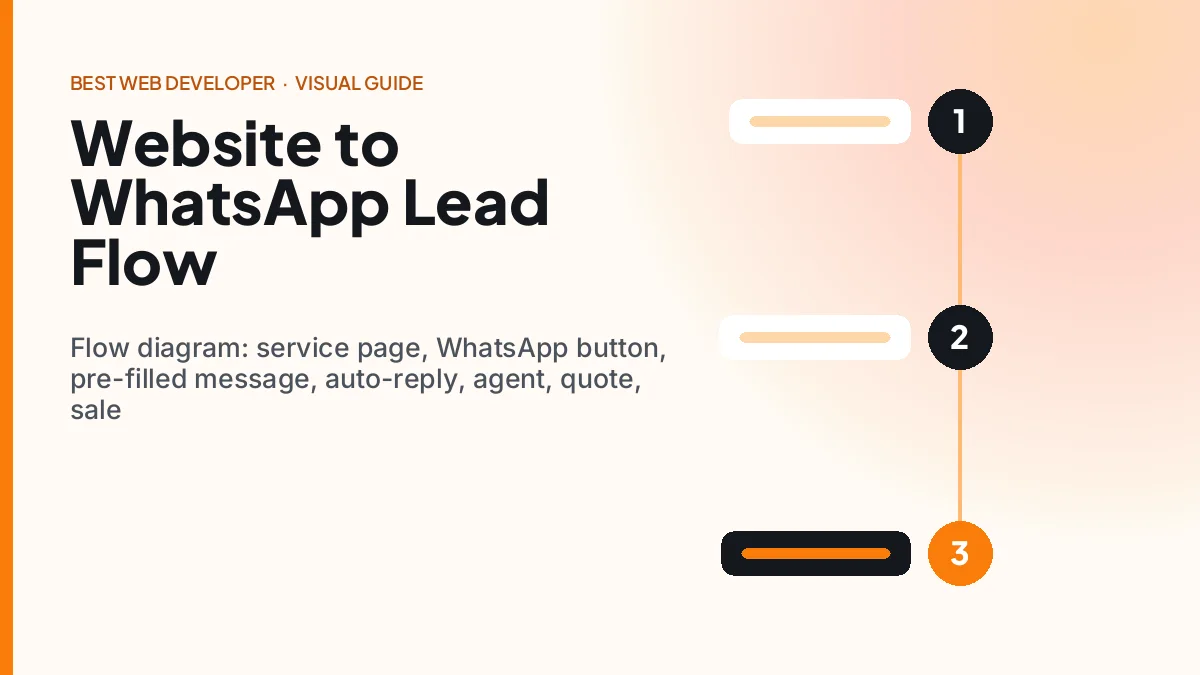
How to add WhatsApp to your website the right way
- Use a click-to-chat link in the format https://wa.me/92XXXXXXXXXX with your number in international format (no leading zero, no spaces).
- Add a pre-filled message per page, for example “Hi, I would like a quote for solar installation in Lahore”. This saves the customer typing and tells you the source page.
- Place buttons where intent is highest: next to prices, at the end of service descriptions, on product pages and in a sticky bar on mobile.
- Show availability: “Typically replies within 10 minutes, 9 am–9 pm”. Honest expectations build trust.
- Keep a form option for people who prefer it, and for after-hours enquiries.
- Track clicks as conversions in your analytics so you can see which pages and campaigns create conversations.
Pro tip
Use a different pre-filled message for each key page (“…from the pricing page”, “…about AC repair”). When the chat arrives, your team instantly knows the context, and you can count leads per page without extra software.
Mistakes that cost Pakistani businesses leads
- A floating button that covers the “Add to cart” or menu on small screens.
- A personal number that is often switched off or answered by whoever is free.
- No reply for hours — the customer has already messaged three competitors.
- Broadcasting promotions to people who never asked for them, leading to blocks and reports.
Chatbots, catalogues and automation on WhatsApp
Automation should make replies faster, not make customers feel ignored. Good uses include:
- Instant greeting with options: “1. Prices 2. Book appointment 3. Order status 4. Talk to a person”.
- Price lists and FAQs answered automatically, with a handover to a human for anything complex.
- Order confirmation and delivery updates for e-commerce, including COD confirmation before dispatch.
- Appointment reminders for clinics, salons and tutors, with reschedule options.
- WhatsApp catalogue showing products with photos and PKR prices that customers can browse in the chat.
Our WhatsApp bot development and AI chatbot development services connect WhatsApp with your website, CRM and order system, so the bot answers routine questions and your team handles the conversations that need a person.
Compliance
Send marketing messages only to customers who have opted in, follow WhatsApp’s Business and Commerce policies, and include an easy way to stop messages. Numbers that receive many blocks or reports can be restricted.
Key benefits of WhatsApp-first websites in Pakistan
- More enquiries: customers who would never fill a form will happily send a message.
- Faster sales cycles: quotes, photos and payment links shared in one conversation.
- Higher trust: a real person replying quickly reassures first-time buyers.
- Lower COD returns: confirming orders on WhatsApp reduces refused parcels. See our e-commerce payments guide.
- Repeat business: opted-in customers can receive restock alerts, reminders and offers.
In Pakistan, the “Contact us” form is where leads go to wait. The WhatsApp button is where conversations start.
Use cases: WhatsApp lead generation for Pakistani businesses
Illustrative scenarios across common sectors:
Clinics and dentists
Patients ask about prices and availability by WhatsApp; a bot shares treatment price ranges and available slots, then confirms the booking and sends a reminder the day before.
Solar and home services
Customers send photos of their roof or broken appliance. The team replies with a rough estimate and books a site visit. A pre-filled message on each service page shows which service is most in demand.
Schools and academies
Admission enquiries peak before each session. An automated flow answers fee and admission-date questions and collects the student’s class, so counsellors can call back prepared.
Online clothing stores
Customers ask about sizes and fabric, then order. COD orders are confirmed by a WhatsApp template, and tracking links are sent automatically after dispatch.
WhatsApp vs website forms vs phone calls
| Channel | Customer effort | Speed | Record keeping | Best for |
|---|---|---|---|---|
| Very low | Minutes | Good (searchable chats, CRM via API) | Quotes, orders, support | |
| Website form | Medium | Hours | Excellent (structured data) | Detailed requests, after-hours |
| Phone call | Low | Instant | Poor unless logged | Urgent and high-value enquiries |
The best websites offer all three, with WhatsApp as the most prominent option on mobile.
Set-up checklist: WhatsApp-ready website in one week
- Create or verify a WhatsApp Business profile with logo, address, hours, website link and catalogue.
- Write greeting, away and quick-reply messages for your five most common questions.
- Add click-to-chat buttons with page-specific pre-filled messages to service, product and pricing pages.
- Add a sticky mobile bar with WhatsApp and Call buttons that does not cover key content.
- Set up click tracking in analytics and mark WhatsApp clicks as conversions.
- Agree a reply-time target with your team and a rota for evenings and weekends.
- Review chats weekly: common questions should become FAQ content on your website, which also helps AI search visibility.
Turn chats into content
Every question customers ask on WhatsApp is a question someone else is typing into Google or ChatGPT. Answer it on your website, and the same question starts bringing new customers.
Ready-to-use WhatsApp message templates for Pakistani businesses
Good templates save time and keep your tone consistent. Adapt these to your business and language mix. For API template messages, submit them for approval in your provider’s dashboard first.
Greeting (instant reply)
“Assalam-o-Alaikum! Thank you for contacting [Business]. Please tell us what you need and your city — a team member will reply within 10 minutes between 9 am and 9 pm. For prices, reply 1. For appointments, reply 2.”
Quote follow-up
“Hi [Name], here is the quote for [service] in [city]: PKR [amount], including [what is included]. It is valid until [date]. Shall I book a visit for tomorrow or the day after?”
COD order confirmation
“Hi [Name], we received order #[number] for PKR [total] (cash on delivery) to [area, city]. Please reply YES to confirm or NO to cancel. Expected delivery: [dates].”
Appointment reminder
“Reminder: your appointment at [Clinic] is tomorrow at [time] with [Doctor]. Reply 1 to confirm or 2 to reschedule.”
Review request
“Thank you for choosing [Business], [Name]! If you were happy with our service, a short Google review would help us a lot: [link]. Shukriya!”
Keep it human
Templates should start conversations, not end them. Use the customer’s name, mention the exact product or service and always offer a clear next step.
Common mistakes to avoid
- Sending the full price list as a long image without explaining anything — customers still have to ask questions.
- Ignoring voice notes; many Pakistani customers prefer them, so reply with a short voice note when it helps.
- Using a staff member’s personal number, which leaves with them when they change jobs.
- Forgetting to update away messages during Eid, Ramadan timings or public holidays.
Future trends: WhatsApp commerce in Pakistan
- In-chat payments and payment links using wallets and Raast will shorten the path from conversation to paid order.
- AI agents on WhatsApp will handle more first-line questions in English, Urdu and Roman Urdu, escalating to staff when needed.
- CRM-connected conversations will let businesses see a customer’s full history across website, WhatsApp and calls.
- Gulf customers: Pakistani exporters and service firms working with Saudi and UAE clients — where Vision 2030 projects are expanding — already rely on WhatsApp for B2B communication, making professional API setups a competitive advantage.
Frequently asked questions about WhatsApp Business and websites
How do I add a WhatsApp button to my website?
Create a click-to-chat link using https://wa.me/ followed by your number in international format, for example 92 followed by the number without the leading zero. Add a pre-filled message, place the button on service and product pages, and track clicks in your analytics as conversions.
Is the WhatsApp Business API free in Pakistan?
No. The WhatsApp Business app is free, but the Business API charges based on conversation or message categories, and most businesses also pay an approved provider for the inbox, chatbot and integration tools. Costs depend on message volume and type.
When should I move from the WhatsApp Business app to the API?
Move to the API when several team members need to answer chats, when you need automated order or appointment messages, when you want CRM integration, or when message volume makes the app difficult to manage.
Can I send bulk WhatsApp messages to customers?
Only to customers who have opted in, and through approved channels. Unsolicited bulk messages break WhatsApp policies and can get your number restricted. Use approved templates through the API for notifications and opted-in promotions.
Will a WhatsApp chatbot annoy my customers?
Not if it is designed well. Keep menus short, answer common questions instantly, and offer a clear option to talk to a person. Bots that trap customers in loops or pretend to be human damage trust.
Can I use the same number for the WhatsApp app and the API?
Traditionally a number moved to the API could no longer be used in the WhatsApp Business app. Meta now offers a coexistence option that lets some businesses use the app and the Cloud API on the same number, but availability, features and limits depend on your provider and region. Confirm the current options with your provider before migrating, or use a dedicated number for the API.
What reply time should a Pakistani business aim for on WhatsApp?
Aim to reply within 5 to 15 minutes during business hours. Customers often message several businesses at once, and the first useful reply usually wins the sale. Use an instant greeting and away message so nobody feels ignored outside hours.
How do I measure leads from WhatsApp?
Track button clicks as conversions in analytics, use page-specific pre-filled messages, and tag conversations by source and outcome in your WhatsApp Business app labels or CRM. Compare chats, quotes and sales per page every month.
Conclusion: make WhatsApp the front door of your website
WhatsApp Business website integration is one of the highest-return improvements a Pakistani SME can make. Put clear, pre-filled WhatsApp buttons where buying decisions happen, reply quickly, and measure every click.
When the conversations grow, move to the API with automation that helps rather than frustrates. Your website then does what it should: start conversations that turn into sales.
Turn your website into a WhatsApp lead engine
We set up WhatsApp buttons, tracking, the Business API and chatbots that connect to your website and CRM — built for Pakistani customers.
Set up WhatsApp leadsWant this handled for you?
We build and optimise sites like this every week. Book a free 30-minute call and we will tell you exactly what we would change on yours.
Get a free site review